
Configuration
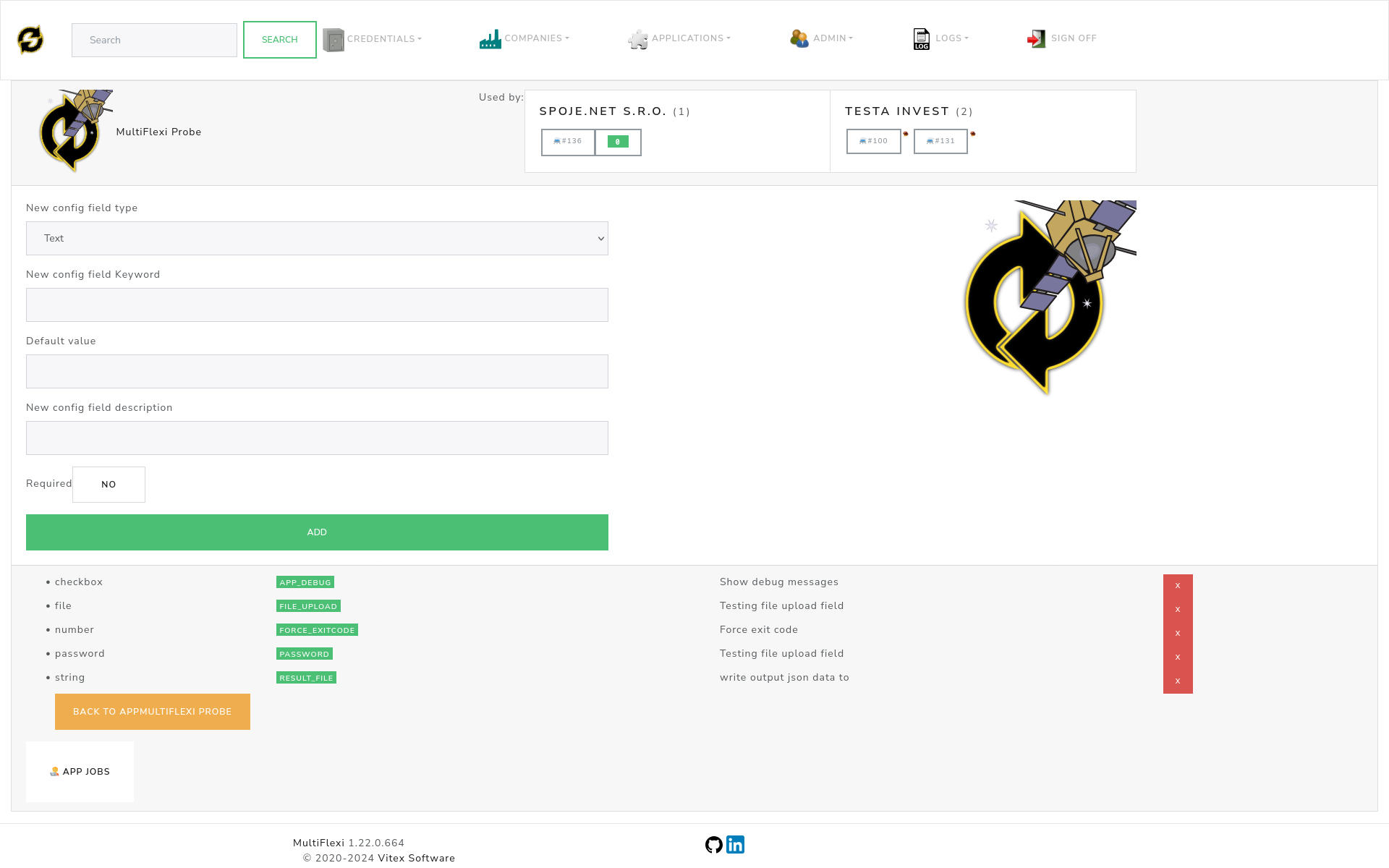
Each application in MultiFlexi defines its own configuration fields. Configuration fields have specific types and properties that determine how users can provide input.
Configuration Fields
MultiFlexi supports various configuration field types to collect user input:
Text: A single line text input for short text values
Number: A numeric input for integer or decimal values
Date: A date input with date picker interface
Email: An email input with validation
Password: A password input with hidden text display
Checkbox: A yes/no checkbox for boolean values
File: A file upload input for selecting files
Directory: A directory path input for folder selection
Each configuration field has these properties:
Keyword- The name of configuration field (displayed in capital letters)Default Value- Pre-filled value used unless user specifies otherwiseField Description- Help text explaining what the field is forRequired- Whether the field must be filled in (yes/no)
Basic Configuration
When setting up applications, you’ll work with configuration fields through the web interface. The system provides:
Form Validation: Required fields are clearly marked and validated
Help Text: Descriptive text for each field explaining its purpose
Default Values: Sensible defaults that work in most situations
Type-Specific Controls: Date pickers, file browsers, password fields, etc.
GDPR Configuration
MultiFlexi includes comprehensive GDPR compliance configuration options accessible through the web interface:
Security Settings
Security Audit: Enable comprehensive security event logging
Data Encryption: Enable AES-256 data encryption for sensitive data
Rate Limiting: Enable API rate limiting to prevent abuse
IP Whitelisting: Restrict admin access to specific IP addresses
Data Retention Settings
Automated Retention: Enable automated data retention and cleanup
Grace Period: Default grace period (in days) before final deletion
Archive Storage: Path where archived data is stored before deletion
Cleanup Schedule: When automated cleanup runs (configurable schedule)
For complete GDPR implementation details and developer configuration options, see GDPR Compliance and MultiFlexi Development.
OpenTelemetry Configuration
MultiFlexi supports exporting metrics to monitoring systems for observability. Basic configuration options include:
Enable Monitoring: Turn on/off metrics export
Service Name: How your MultiFlexi instance appears in monitoring
Collector Endpoint: Where to send monitoring data
Protocol: Communication method (HTTP or gRPC)
For technical implementation details, see MultiFlexi Development and OpenTelemetry Integration.
Logging Configuration
MultiFlexi provides flexible logging options that can be configured through the web interface or configuration files.
Log Storage
By default, MultiFlexi writes logs to /var/log/multiflexi/multiflexi.log. The system automatically:
Rotates logs daily to prevent large files
Compresses older logs to save space
Keeps 14 days of log history
Cleans up old logs automatically
Viewing Logs
To view recent activity:
tail -f /var/log/multiflexi/multiflexi.log
To browse historical logs:
less /var/log/multiflexi/multiflexi.log
Log Destinations
MultiFlexi can send logs to multiple destinations simultaneously:
Local Files: Stored on the server for direct access
System Log: Integrated with your system’s logging service
Database: Stored in MultiFlexi’s database for web interface viewing
Monitoring Systems: Sent to Zabbix or other monitoring tools when configured
Tip
For troubleshooting issues, the log files are your best resource for understanding what happened and when.
For technical logging implementation details, see MultiFlexi Development.